On 24 July 2026, the Zakat, Tax and Customs Authority (ZATCA) announced the criterion for the twenty-fifth wave of the e-invoicing “Integration Phase”. Its threshold is lower than any wave before it, so it may include your grocery, pharmacy or clothing shop.
This guide explains in plain words who Wave 25 covers, how to know whether you are included, how integration differs from what you do today, and what to prepare before the date. Every official fact here has a source at the end of the page.
1. What is Wave 25?
E-invoicing in Saudi Arabia has two phases. The first, the Generation Phase, began on 4 December 2021. The second, the Integration Phase, is applied in successive groups (waves), each chosen by ZATCA according to revenue.
Wave 25 as ZATCA announced it:
- Who it covers: businesses whose revenue subject to VAT exceeded SAR 187,500.
- Reference years: any of 2022, 2023, 2024 or 2025. One of those years is enough.
- Date: integration with the Fatoora platform from 1 February 2027.
An administrative decision by ZATCA’s governor was published in the official gazette Umm Al-Qura, and the Saudi Press Agency (SPA) reported it the same day.
ZATCA’s Arabic news item says “starting from 1 February 2027”, and the English one says “no later than February 1, 2027”. The practical result is the same: treat that date as the last day to be ready, and do not leave your preparation until then.
2. Is my business included?
Rule one: ZATCA notifies you. You do not sign up for a wave. ZATCA said it will notify all targeted businesses in Wave 25, and that it informs each wave at least six months before its integration date.
To check where your business stands:
- Check the email and messages registered with ZATCA, and your account on ZATCA’s e-services portal.
- Add up your VAT-taxable revenue for each year from 2022 to 2025, from your VAT returns.
- If any one year exceeds SAR 187,500, expect to be targeted and start preparing, even if the notice has not arrived yet.
An illustrative example: a shop with taxable sales averaging SAR 16,000 a month sells about SAR 192,000 a year. That is above the Wave 25 threshold. The figure is only an example; what counts is your actual revenue in your returns.
Until you receive a notice, Phase One still applies as it is: an electronic invoice from a compliant system, stored with all its elements, with a QR code on the simplified invoice.
3. Integration is not generation: what changes?
In Phase One, taxpayers stopped issuing handwritten invoices or invoices made in a text editor or spreadsheet. The software issues and stores the invoice, but it does not connect to ZATCA.
In the Integration Phase, according to ZATCA’s announcement, three things are added: integrating the invoicing system with the Fatoora platform, issuing the invoice in a specific format, and additional fields on the invoice. In a shop this means:
- Tax invoice (usually to a business with a VAT number): sent to ZATCA to be cleared before you share it with the buyer. ZATCA’s detailed guideline calls this “clearance”.
- Simplified tax invoice (usually to a consumer at the till): you hand it to the customer, and it is reported to ZATCA within 24 hours of issue.
- Corrections: an invoice is not cancelled or deleted once issued. A return or a lower amount is made with a credit note, an increase with a debit note, both linked to the original invoice.
For VAT in a shop in general, read also VAT for shops.
4. What to prepare before 1 February 2027
- Software that supports Phase Two. Ask your software provider directly: does it connect to Fatoora and send tax invoices, simplified invoices and notes?
- Complete, correct business data. VAT number, commercial registration and national address (including building number and postal code). Missing data is one of the most common reasons invoices are rejected.
- Business customers’ data. The VAT number and address of every customer you sell to with a tax invoice.
- Onboarding in the Fatoora portal. You generate a one-time password (OTP) in the portal, which the software uses to obtain its cryptographic stamp identifier (CSID), then it passes the compliance checks, then it receives the production certificate. The OTP is valid for a short time, so generate it when the software is ready.
- Test early. Connect first in the simulation environment, issue a tax invoice, a simplified invoice and a return, and check the response. Do not leave your first test to the last week.
- Train whoever sells. The cashier should know when an invoice is simplified and when it is a tax invoice, and that a mistake is corrected with a return or a note, not by deleting.
5. What about penalties?
Since 2021 ZATCA has announced e-invoicing violations and fines, including not issuing an invoice electronically and deleting or amending an invoice after it is issued. Some violations start with a warning before any fine, and the fine depends on the type of violation and how often it is repeated.
The amounts quoted on various websites differ from one source to another, so we do not repeat them here. Check the penalty table in force today on ZATCA’s website or with your accountant.
6. Wave 25 in Sonbola
Sonbola supports both e-invoicing phases: generation and storage, and integration with the Fatoora platform. This is what the user guide says about the whole path:
- Setup: the ZATCA screens appear for a company whose country is Saudi Arabia and currency is the riyal. You enter the VAT number, branch name and national address, and choose the simulation or production environment. Setup lesson (Arabic).
- Onboarding in three steps: the OTP from the Fatoora portal gives you the compliance certificate, then six test documents that ZATCA checks, then the production certificate. In Sonbola the company’s certificate and its invoice sequence are kept in the company’s own database, so the company registers once and every device connected to that database works as one invoicing unit. If you run two different programs or two separate databases, each one is registered on its own. OTP and onboarding lesson (Arabic).
- Daily selling: the customer’s VAT number decides the invoice type: a tax invoice sent for clearance, or a simplified invoice that is reported. The program sends the invoice after it is saved, and locks it against editing and deletion. Selling after integration (Arabic).
- Returns: you turn the original invoice into a return, which sends a credit note linked to it. Returns and notes lesson (Arabic).
- Monitoring and errors: the “ZATCA Monitor” shows each invoice’s status; if ZATCA rejects one you see the error code and its explanation, then resend. Error codes lesson (Arabic).
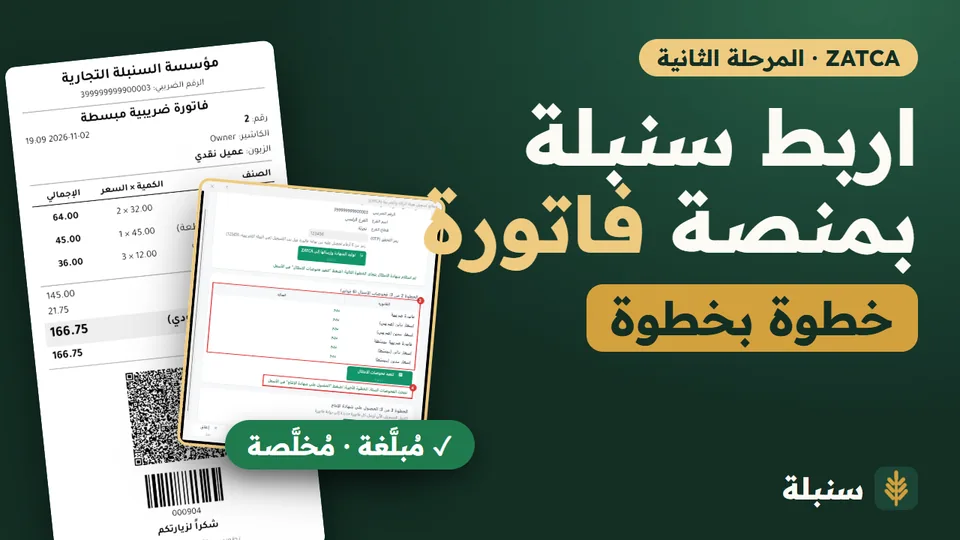
Start with the interactive integration journey or the lesson Am I required to integrate? (both in Arabic). Software support for integration does not replace registering your own business, with its data and the OTP from the Fatoora portal.
Frequently asked questions
My revenue exceeded SAR 187,500 in only one year. Am I included?
The criterion is VAT-taxable revenue above SAR 187,500 in any year from 2022 to 2025, so one year is enough. The final confirmation is ZATCA’s notice to your business.
I have not received a notice from ZATCA. What should I do?
Phase One requirements still apply: an electronic invoice from a compliant system and a QR code on the simplified invoice. If your revenue is above the threshold, start preparing now and check ZATCA’s channels and your account with it.
What is the difference between Phase One and integration?
Phase One is issuing and storing invoices electronically without connecting to ZATCA. Integration sends invoices to the Fatoora platform: tax invoices are cleared before they go to the buyer, and simplified invoices are reported within 24 hours.
How do I correct an invoice after integration?
Do not delete or edit it. Issue a credit note for a return or a lower amount, or a debit note for an increase, linked to the original invoice.
Sources
- ZATCA: Wave 25 – E-invoicing, 24 July 2026 (and the Arabic version).
- Umm Al-Qura gazette: applying the twenty-fifth phase of e-invoicing integration (Arabic), administrative decision no. 1448-99-238, published 24 July 2026.
- Saudi Press Agency (SPA) (Arabic), 24 July 2026.
- ZATCA: What is e-invoicing?, accessed 6 November 2026.
- ZATCA: Detailed Guidelines for E-Invoicing, version 2, May 2023.
- ZATCA: e-invoicing violations and fines, 16 November 2021.