Generation and storage
Support for generating and storing electronic invoices as part of working with Sonbola. This phase covers electronic generation and storage of invoices and notes according to the authority’s requirements.
Accounting, sales, inventory and POS, with support for both e-invoicing phases of the Zakat, Tax and Customs Authority (ZATCA): generation and storage, and integration.
From the VAT number and commercial registration to the first standard tax invoice and the first simplified tax invoice sent to ZATCA’s Fatoora platform, done in Sonbola with the authority’s official sandbox test numbers.
The numbers in the video are ZATCA’s sandbox test numbers, not for a real business. Support in the software does not replace onboarding your own business with its data and the OTP from the Fatoora portal.
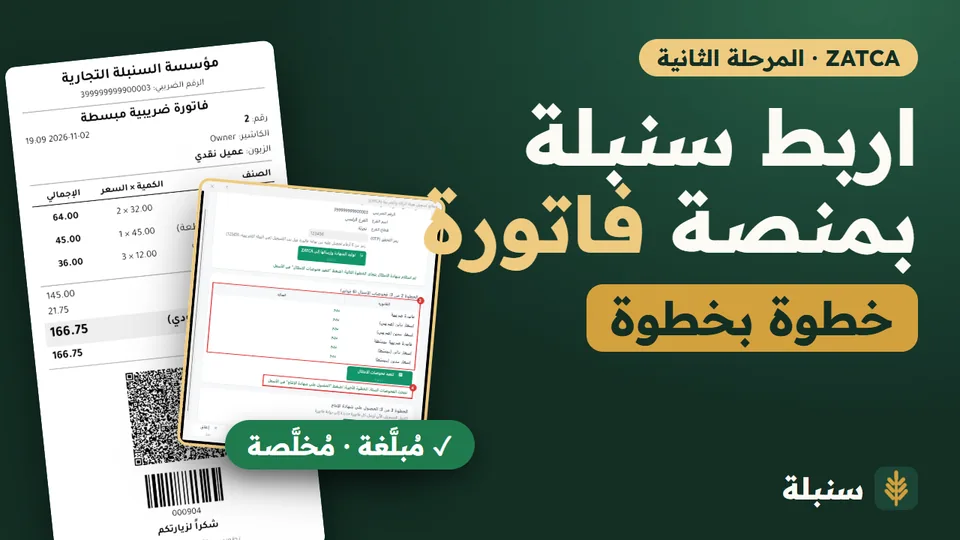
Sonbola supports generation and storage, and integration with ZATCA. Contact us to choose the appropriate version and prepare the settings for your business.
Tell us about your business, invoice types, branches and the phase that applies to you so we can discuss the setup you need.
Two companies in Saudi Arabia worked on Sonbola with multi-branch copies, in two very different trades:
Spare parts with a large item list and several branches on one system. Sonbola for spare-parts shops
Clothing and embroidery with several branches on one system. Sonbola for clothing stores
What both valued most: technical support and fast contact, and the steady improvement of the software.
Direct contact in Arabic by WhatsApp and email, with the team that builds the software.
A major update every three months and regular updates every two weeks, included in the subscription.
Add the fields your business needs to the item, customer or invoice card; they appear in lists, search and reports, with no custom build.
Support for generating and storing electronic invoices as part of working with Sonbola. This phase covers electronic generation and storage of invoices and notes according to the authority’s requirements.
Support for integration with ZATCA’s Fatoora platform. This phase applies to businesses covered by integration waves; contact us about the appropriate version and settings.
For phase definitions and applicability, see ZATCA’s official e-invoicing introduction. Software support still requires your business information, version and integration to be checked and configured.
Sonbola is accounting, sales, inventory and cashier software for businesses in Saudi Arabia, including small businesses preparing for integration or included in a ZATCA wave. It supports generation and storage, and Fatoora integration, on the desktop edition. See the Wave 25 guide and how to process a return on an electronic invoice, or contact us to choose the right edition.
Yes. Sonbola supports the generation and storage phase and the integration phase. Contact us so we can identify the right edition and settings for your business.
ZATCA applies the integration phase gradually, in waves. Check your official notice and ZATCA’s published information to see what applies to you.
Sonbola supports both e-invoicing phases: generation and storage, and integration with ZATCA’s Fatoora platform, on the desktop edition. That support does not replace registering your business with its data and an OTP from the Fatoora portal, and it does not prove a provider accreditation or a successful live integration.
Yes. Sonbola is accounting, sales, inventory and cashier software that suits shops and small businesses. The edition and setup depend on your activity and the e-invoicing phase that applies to you. See the Wave 25 guide if you are asking about an integration date.
After submission the invoice is not deleted or edited. Use a sales return or a credit note that carries the original invoice number. The steps are in the e-invoice returns guide.
Contact us with a description of your activity, your current edition and your e-invoicing requirements, and we will discuss the edition and setup path with you.
References: Official e-invoicing guidelines · ZATCA solution provider information.
Review quotations, deposits, sales invoices, delivery and customer statements, then discuss your business e-invoicing needs with the team. Support for both phases does not establish provider accreditation or successful integration for your business; edition setup, company data and integration checks are separate steps.
Prepare a sample furniture item with a barcode and price, a quotation, a deposit, an invoice and a customer statement. Review the accounting result, then discuss tax and e-invoicing setup for your business. This is an evaluation checklist, not tax advice or proof of compliance.
Furniture workflows and software screenshots · Furniture Excel product list · Sonbola AI assistant
After you choose an edition, these pages help you review e-invoicing, daily invoices and stock control. The detailed ZATCA walkthrough in the user manual is in Arabic.