With cash scarce, many customers now pay by bank transfer, an app or an e-wallet. That spares you counting cash but opens new mistakes: a transfer recorded as cash, a screenshot of a transfer that never arrived, or a payment from someone else’s account you cannot attribute.
This guide organises electronic payment recording so every customer and account balance stays clear. Figures are training examples.
1. A separate account for each payment method
Do not put transfers in the “cash box”. The cash box is for cash you can count in the drawer. Give each method its own account:
- The cash box (shekel cash), and another for each cash currency.
- The bank account receiving transfers, one per bank.
- An account for each wallet or payment app you use.
Then you reconcile each account with its source: cash with the drawer, bank with the bank statement, wallet with the app history.
2. Verify before you record
- A screenshot is not proof of receipt. Check your account or app notification before treating the payment as received.
- If you cannot verify now (for example, during an internet cut), note the payment as “pending verification” with the customer, amount and time, and confirm when connected.
- Record the transfer reference in the notes if available, to find it when reconciling.
3. Mixed payments: cash and transfer on one invoice
An invoice of 500 shekels: 200 in cash and 300 by transfer. If you record it all as cash, the drawer shows a 300 shortage and the bank an unexplained 300 extra.
Record each part by its method in the same voucher. In Sonbola, receipt and payment vouchers accept multiple lines and methods: cash, card, transfer and cheque in one voucher, and the POS supports multiple payment methods.
4. Transfers from someone else’s account
Often a customer’s son, relative or employer sends the money. If you do not record whom the payment is for immediately, a week later you will see a transfer under a name you do not recognise.
- Ask the customer for the name that will appear on the transfer.
- Write the sender’s name in the receipt voucher note next to the customer’s name.
5. Transfer fees and currency differences
- If the shop bears a fee deducted from a confirmed payment, reconcile the settled amount, fee and net bank receipt against the records. If the customer bears the fee or the transfer is short for another reason, review the agreement and accounting treatment before settling the customer balance.
- If the customer pays in a currency other than their account currency, record the exchange rate used. See shekels, dollars and dinars in your shop accounts.
6. A fifteen-minute weekly reconciliation
- Download the bank statement or wallet history for the week.
- Match each incoming movement with a recorded receipt voucher.
- A movement with no voucher? Find whose it is and record it.
- A voucher with no movement? That transfer never arrived; follow up with the customer.
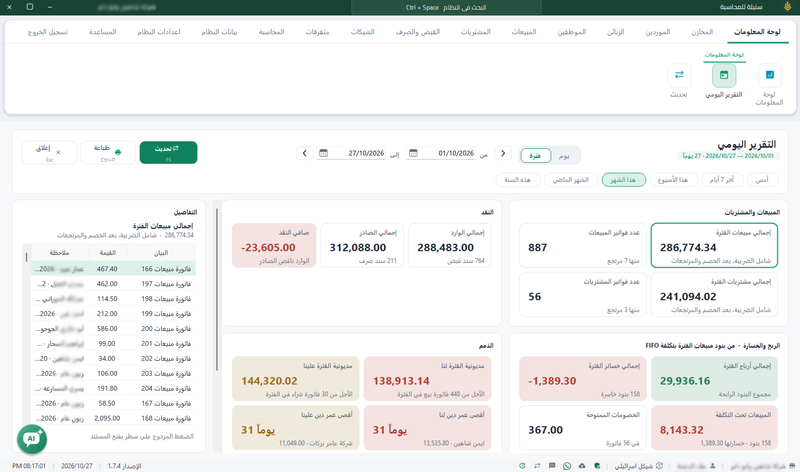
If sales look high but cash is low, read the difference between sales and collections.
Frequently asked questions
Do I record a transfer in the cash box?
No. The cash box is for cash in the drawer. Record the transfer in the bank or wallet account where it arrived.
The customer sent a transfer screenshot. Is that payment?
Verify the amount arrived in your account first. If you cannot verify now, note it as pending and confirm later.
How do I record an invoice paid partly in cash and partly by transfer?
Record each part by its method in the same receipt voucher, so cash and bank each match their source.
How often should I reconcile the bank account?
At least weekly if transfers are frequent, to catch missing or unattributed transfers early.