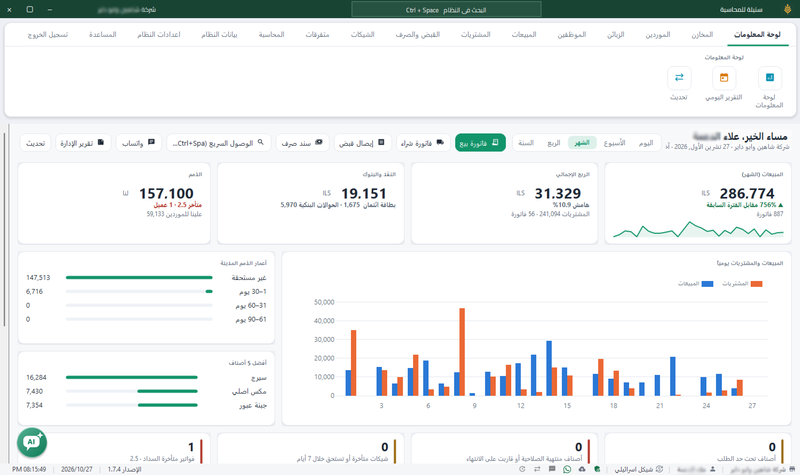
Many shop owners only open reports when there is a problem, because reaching a number takes time and moving between screens. An AI assistant inside the program changes that: you type your question in your language and it answers from your company’s reports.
These are practical questions worth asking regularly, whether you use the assistant or open the reports yourself. Figures in examples are hypothetical.
1. Profit questions
1. How much did I make this month? And last month?
Start with the big picture. The assistant answers profit from the program’s report for common periods: today, yesterday, the last seven days, this month and last month. The figure follows the report’s profit definition and is not necessarily net profit after all shop expenses; see invoice profit and shop profit.
2. Which items or invoices did I sell at a loss?
This reveals pricing errors and rising costs. After the answer, review the item’s cost and price before deciding. See also calculating the selling price.
Note: profit data is available to the company owner.
2. Sales questions
3. Compare this month’s sales with last month
A comparison shows the trend faster than a single number. Mind the number of days in each period: mid-month does not compare with a full month.
4. How were today’s sales compared with yesterday?
A quick daily question before closing the shift helps you notice an unusual day early.
3. Debt questions
5. Which customers are late paying?
Ask about balances and overdue debts to know whom to follow up first. Details in tracking customer debts.
6. Prepare a balance reminder for a customer
When the messaging service and permissions are enabled, the assistant prepares a WhatsApp message with the account statement for you to review. Nothing is sent until you review it and press send yourself.
4. Stock questions
7. Which items have reached their reorder level?
Before preparing a supplier order, know what needs buying. Results follow the reorder levels recorded for your items, so set them first.
8. Which items are close to expiry?
Important for pharmacies, food and agricultural supplies, so you act before goods become a loss. See slow-moving stock.
5. When you find a difference in the accounts
You can ask the assistant to help trace a journal or balance difference, then review the linked document before correcting. This is help on request, not an automatic full check or automatic correction.
6. What to know before you start
- Availability: Sonbola AI is available in Sonbola Web and the Windows edition, in all plans, with a free usage tier and a paid tier for extra usage. Contact the team to confirm limits and prices.
- Ready number questions use the company’s reports and do not consume AI credit.
- Permissions: each user sees what their report permissions allow; profit is for the company owner.
- Internet: the assistant’s connected models need a connection.
- Privacy: review the data and privacy section on the Sonbola AI page before use.
Frequently asked questions
What is Sonbola AI?
A smart assistant inside Sonbola on web and Windows that answers questions on profit, sales, debts and stock from your company’s reports, depending on edition, activation and permissions.
Does the assistant send messages to customers by itself?
No. It prepares the message when the service and permissions are enabled, and nothing is sent until you review it and press send.
Does the assistant correct accounting errors automatically?
No. It helps trace a difference when asked; you review the document and decide on the correction.
Does every question consume credit?
Ready number questions do not consume AI credit. There is a free usage tier and a paid tier for extra usage.