The main additions
The ten changes most shops will notice first. Each one links to a page that explains it in more depth.
System search finds everything
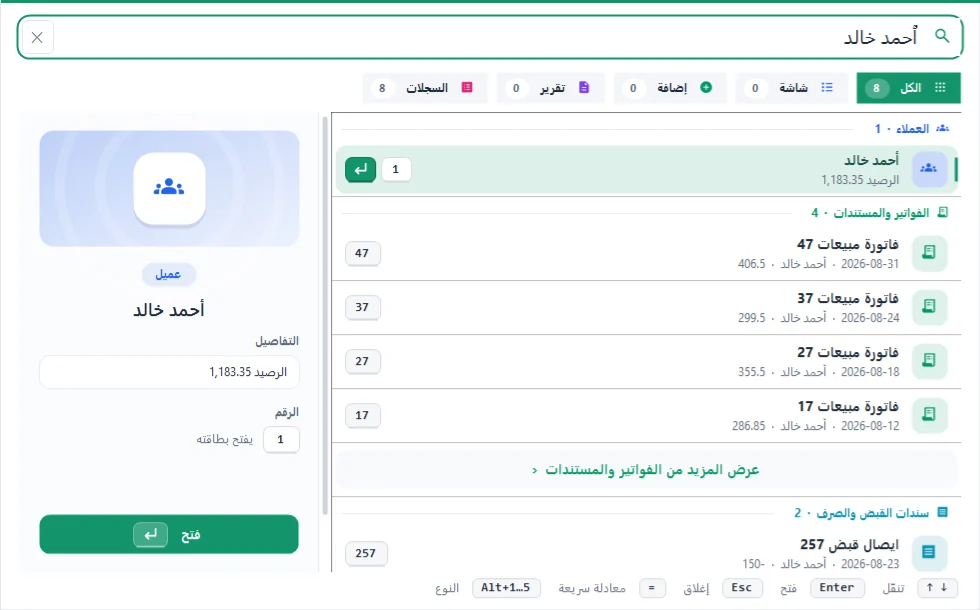
Ctrl+Space no longer finds only screens and reports. Type a name or a number and it finds the customers, suppliers, employees, items, invoices, vouchers, journal entries, accounts and cheques of the open company, under the «Records» chip, and opens the result in place.
It searches by words in any order and ignores spaces and the Arabic letter variants, so «Abdullah Al-Hourani» is found however it was typed. A person it finds brings his invoices, vouchers, entries and cheques with him, and the notes are searched too. It shows only what the user’s privileges and branches open.
A redesigned point of sale
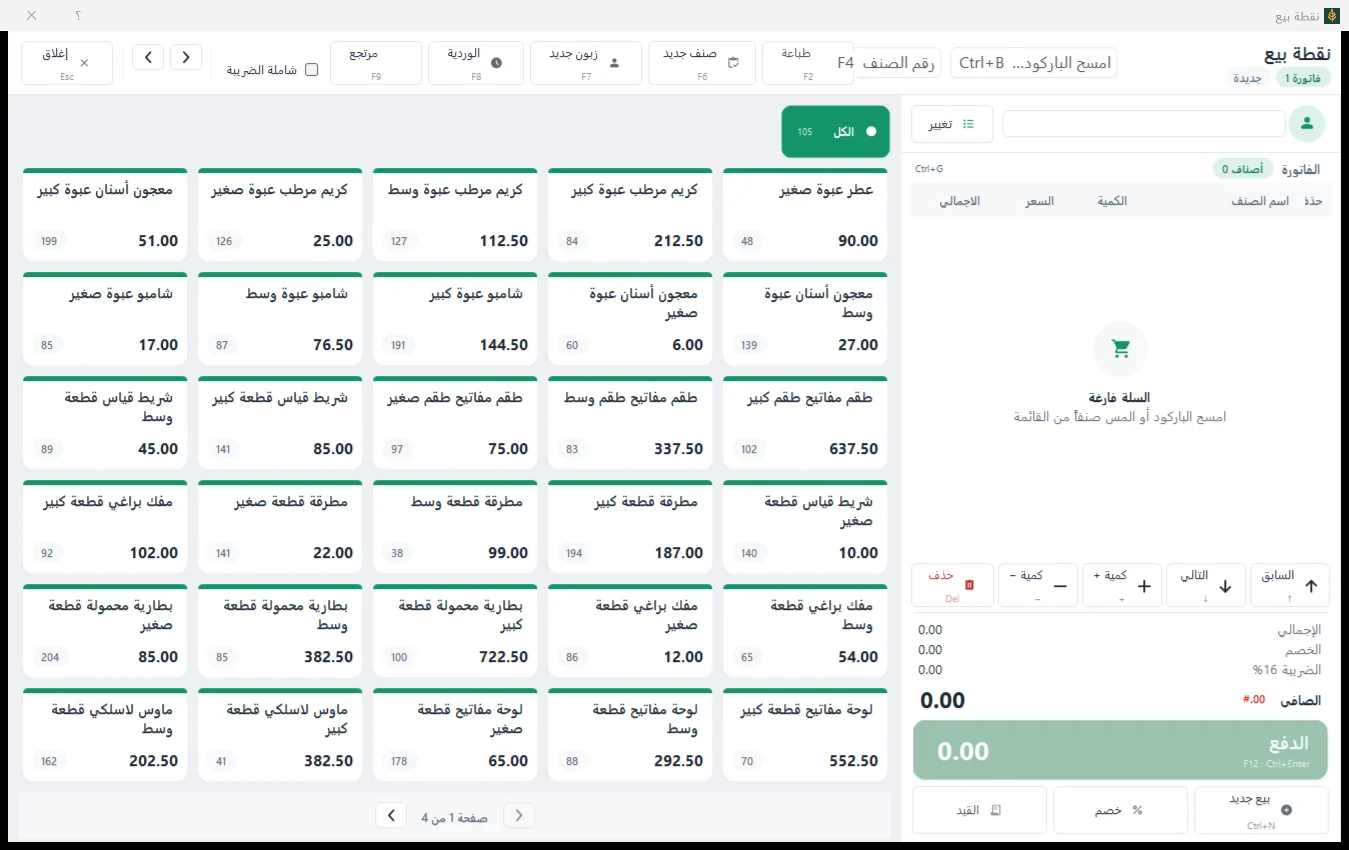
The items take two thirds of the screen, the current receipt sits on the side and payment is its own panel. Category buttons are finger-high, and a tap on any cell of a line selects the whole line so «+» and «−» work on it. It is designed for 1366×768 and 1920×1080, in Arabic and English.
Beside «Cash» there is a button for every bank linked to the point of sale. A return from a receipt (F9) finds the receipt by its number or barcode and refunds it in cash in the open shift. And the «shift invoice» prints the last closed shift as one A4 invoice with its receipts’ items grouped.
Tables and orders for restaurants and cafés
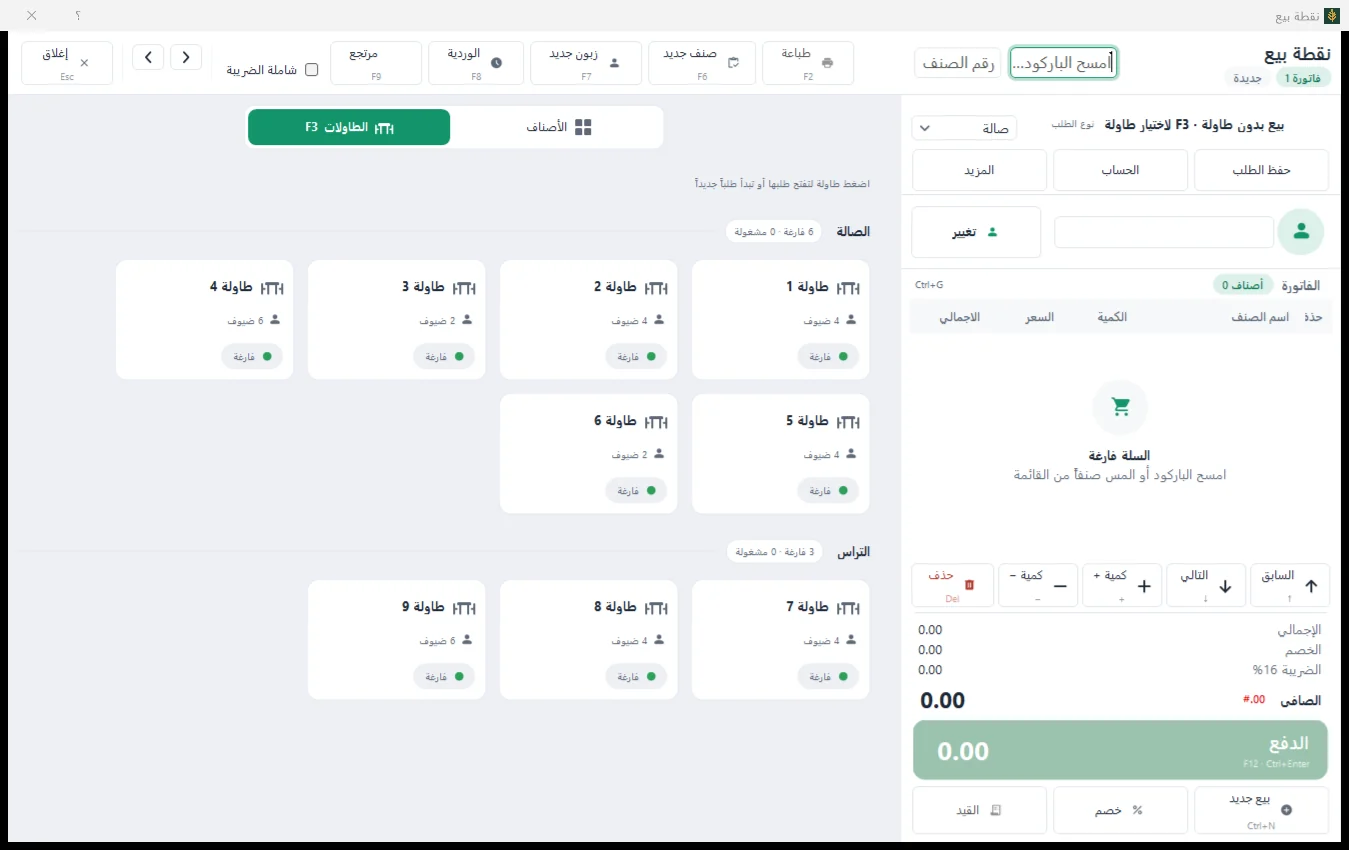
A table map in the point of sale, one order per table (dine-in, takeaway or delivery), every save sends what is new to the kitchen printer, and payment when the table closes. Each table is a card in the colour of its state, with its guests and amount.
Merging two tables, the waiter on the order, a delivery fee, table reservations and a kitchen screen, with two new reports: «Tables and orders sales» and «Cancelled after sending to the kitchen».
Several branches in one company
Every invoice, voucher, shift and manual entry carries its branch, every branch has its own cash box, and a branch can hold several stores. A user who does not hold every branch sees only his branches in the reports, lists, dashboard and alerts, while the financial statements stay for the whole company.
Reports offer «Branch» in their criteria, and a new «Branch comparison» report gives one row per branch with its sales, returns, profit, purchases, receipts, payments and balances.
The till keeps selling when the internet drops
For companies working on a server over the internet: if the connection drops, the point of sale keeps selling in cash or by card, on credit to customers of the copy kept on the PC, and opens and closes the shift. Receipts are kept encrypted on the PC and uploaded by themselves when the connection is back, never twice.
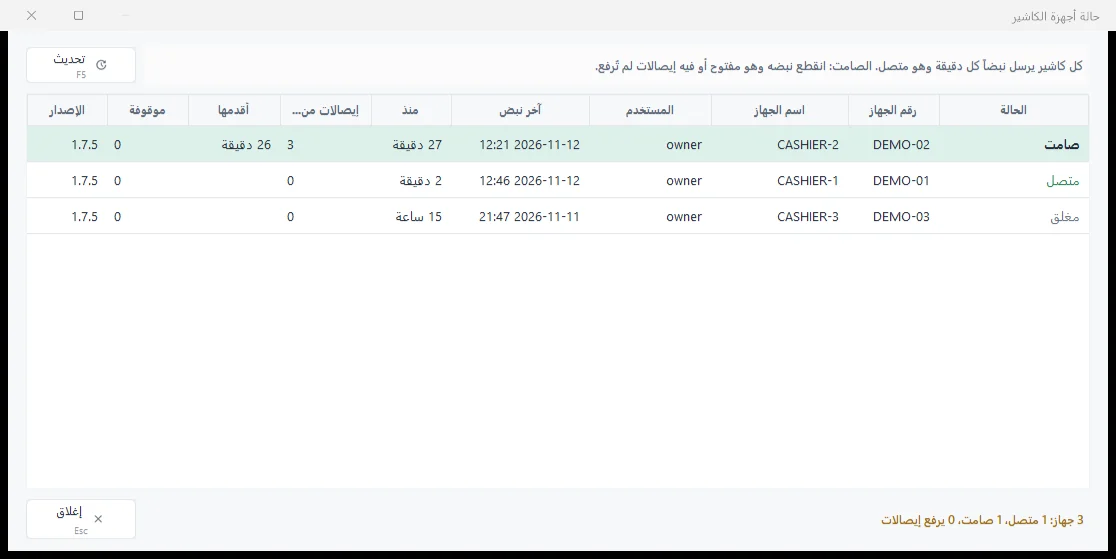
A «review after the outage» window, a «Till devices status» window, and silent tills in the daily management report. The option is off by default and is not available to a company linked to ZATCA.
Twenty new reports, «Compare» and «Group by»
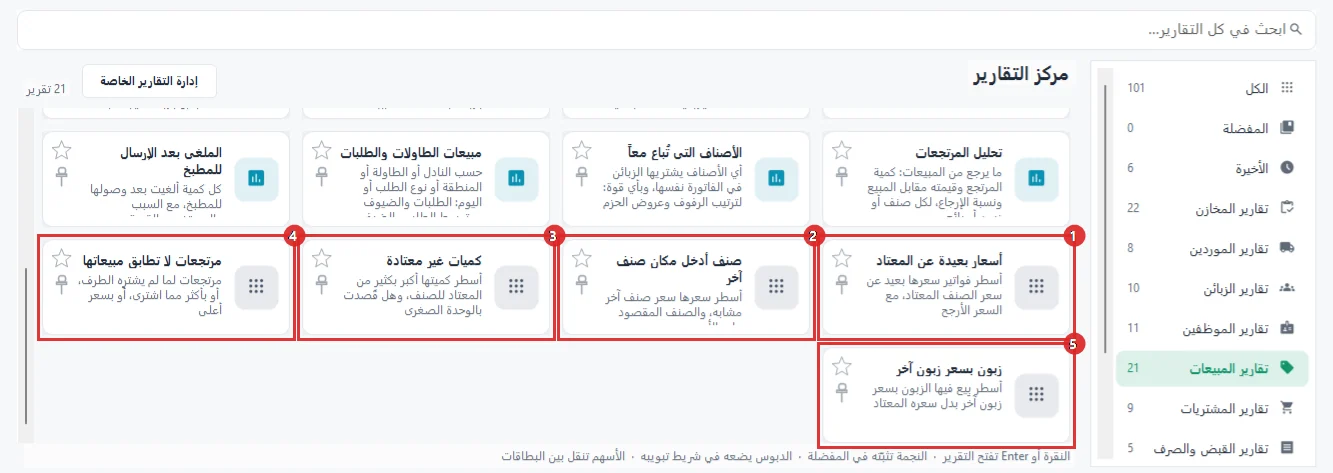
New sales, purchases, stock, customer, cheque, payroll, project, currency and tax reports in the reports centre, among them sales by hour and day, sales by payment method, items bought together, reorder suggestions, ABC analysis and stock turnover, expiry risk and the detailed tax statement.
«Compare» (Ctrl+K) puts the previous period, the same period last year or any two dates beside a report’s figures, with the difference. «Group by» (Ctrl+G) turns any tabular report into a pivot table with a chart. And reports, invoices, documents and barcode labels can be customised for each company with a live preview.
The audit journey and period closing
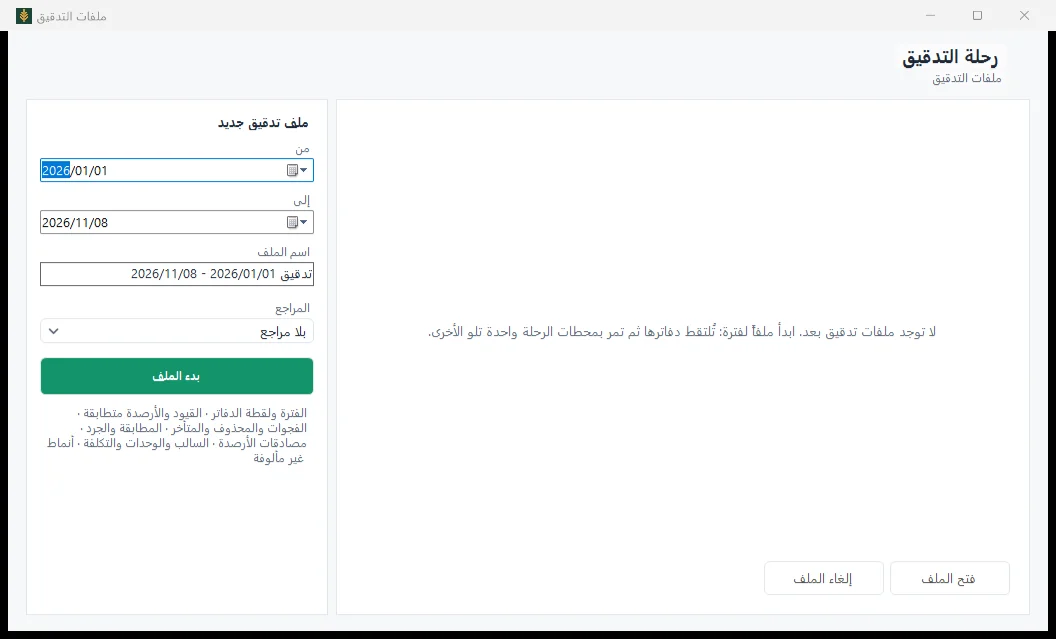
An audit file for each period goes through eight stations: opening, books balance, completeness, cash and banks, party balances, stock, a «risk lens» (documents edited after the period, round manual entries, night entries, large discounts, possible duplicates) and sign-off, with a reviewer as a second key and a signed PDF.
Period closing closes every trading and profit-and-loss account up to a date in one entry, with a preview of its lines, and «Undo the last closing» reverses it.
Every company in its own currency
A company is created in its own currency (shekel, dollar, dinar or another) and keeps it: the chart of accounts takes it and exchange rates are counted against it. Reports show a foreign document’s own currency beside the company’s, and the rate is kept on documents to seven decimal places.
Sonbola AI knows the program and prepares the work
It answers «where do I find…» and «how do I…» from the program’s own ribbon and reports centre, prepares almost any screen for you to review and save, and prepares a new invoice, voucher or entry from your request without using AI credit. A microphone button beside «Send» (Ctrl+R) writes what you say while you speak.
ZATCA
A ZATCA outage no longer refuses invoices: the program retries until the connection is back. An exemption reason (VATEX) on every line, with the four newest reasons; checks before the error (the national address, the full tax number); and «ZATCA status» in the sales lists.
Also in this release
Accounting and payroll
- Profit distribution to partners as a ready journal entry you review and save
- Payroll items calculated by the payroll sheet every month
- Posting the month’s depreciation
- Manufacturing wages and expenses in the product’s cost
- A stronger balance sheet with comparison and financial ratios
Items, invoices and documents
- The items explorer: groups with colours, cards or a list, drag to move
- The attachments gallery with a large viewer
- A phone as a barcode reader over the shop’s Wi-Fi
- Custom fields of every kind, in lists, searches and reports
- Table statistics and the financial summary (Ctrl+Shift+S)
Security and privileges
- «Special rights» and shared privilege templates
- A user sees only his branches
- Security gaps closed
- The database password protected on the PC
Interface and speed
- One consistent look across the screens
- F1 on every screen opens its keys
- Program sounds for success, warning and error
- A new calculator
- A faster program everywhere
How do I update to 1.7.5?
- From inside the program: it offers the update by itself; on a new PC, download the full setup.
- Take a backup first, as with every upgrade.
- The first start may take a few minutes while the database changes are applied.
- Update every PC of the shop together: an older program stops and asks for the update once the database has been updated.
Questions about this release
Does the update change my data?
The update applies its database changes by itself on the first start, with nothing for you to do and no data lost. This release carries many changes, so the first start after updating may take a few minutes. As with every upgrade, take a backup before updating.
Do I have to update every PC in the shop?
Yes, update them together. Once one PC has updated the database, the older program on the other PCs stops and asks for the update, so it never writes to the database by old rules.
Are the new features switched on after the update?
Most are. A few stay off until you turn them on: the new restaurant parts (merging tables, waiter, delivery, reservations, kitchen screen) from the tables card of the company settings, and selling without internet for the company in its settings and for the user by a privilege. A company without branches sees no difference on its screens.
Which edition is this page about?
Sonbola for Windows desktop, version 1.7.5. Sonbola Web has its own updates; learn more about Sonbola Web.