Record the order and specifications first
Document the model, colour, size, quantity, price and agreed services. Sonbola desktop offers quotation, sales-order and invoice workflows depending on the edition; review them with training data. A quotation alone does not prove payment or delivery, nor does it establish production tracking or vehicle scheduling.
Link the deposit to the correct customer
Keep the receipt, reference and payment method, and check that the payment appears once on the customer account. A deposit alone is not final showroom profit. Do not record the same payment again when invoicing. Revenue timing, tax and cancellation treatment should be reviewed with your accountant for your country and agreement.
Illustrative example: what is still due?
The furniture agreement is 8,000 and the confirmed deposit is 2,000. When invoicing, an agreed delivery charge of 300 makes the total 8,300. The table uses one currency, no tax and no opening balances. These are hypothetical figures, not a pricing policy or customer case.
| Record or event | Amount | What to check |
|---|---|---|
| Furniture quotation | 8,000 | Specifications and price; not a receipt |
| Confirmed deposit recorded once | 2,000 | Receipt reference and customer account |
| Furniture invoice including delivery | 8,300 | Balance after deposit: 6,300 |
| Later confirmed payment | 3,500 | Balance after both payments: 2,800 |
Check goods and services before delivery
Match items, specifications and quantities to the agreement and confirm stock in the warehouse supplying them. Review whether delivery and installation are included or additional. Verify records and changes before telling the customer a revised balance.
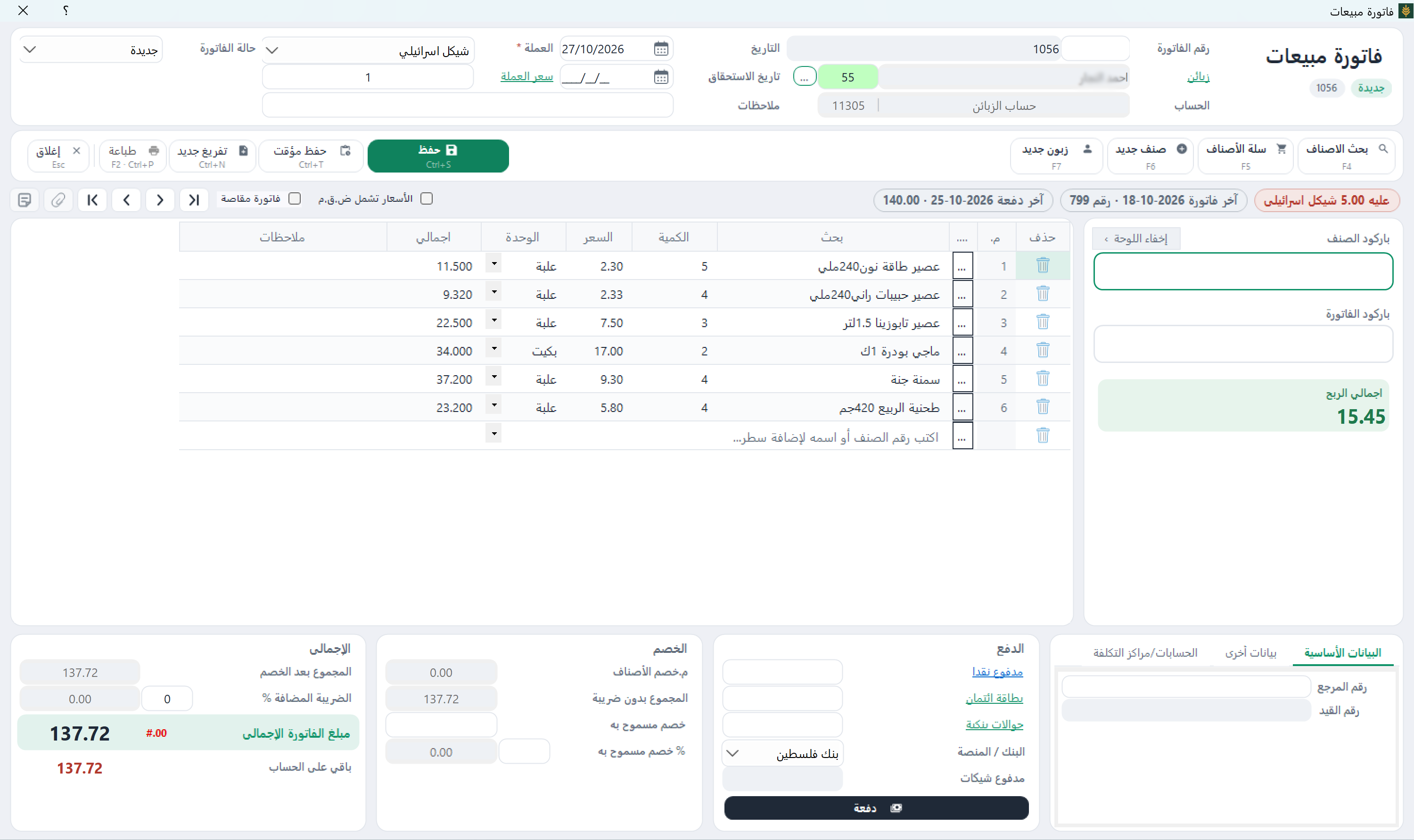
When an order changes or an item is returned
Document the change, reason, amount and reference, then review its invoice, stock and account effects. Do not delete a past receipt to match a verbal balance. Deposit refunds, deductions and cancellations depend on the agreement and applicable rules; they cannot be inferred from this numerical example.
Which reports does a showroom owner need?
A statement shows account movements and the balance; a stock report shows quantities. Profit is different from receipts. Supplier, transport and other costs may affect the result being reviewed. Ask to see an invoice report and customer statement, and check each figure's meaning before deciding.
Test the full workflow before moving your data
Prepare a sample furniture item, customer, quotation, deposit and invoice, then review the balance and stock. Add a sample service or change to see the effect. Orders, warehouses, services and cheques vary by edition. This is not a tested sequence of buttons or proof of a separate delivery-scheduling system. Setup assistance and training are provided remotely.
Frequently asked questions
Should the deposit be recorded again when invoicing?
Do not record the same amount twice. Review how the payment is linked to the account and reflected in the invoice and statement in your edition.
Is every amount collected profit?
No. Separate receipts from sales, goods and service costs, and expenses, and review the report's definition of profit.
Does this workflow imply automatic delivery scheduling?
No. The guide covers records and balances. Scheduling or vehicle-routing needs should be assessed separately.
Related tasks and lessons
- Sector workflows and screenshots
- Item units
- Receipts and payments
- Sales and collections
- Sonbola AI assistant
Examples are educational, not customer results or jurisdiction-specific tax advice. Review the relevant records and edition with your accountant. Windows trial: 30 days or 500 invoices, whichever comes first; Web trial: 14 days.